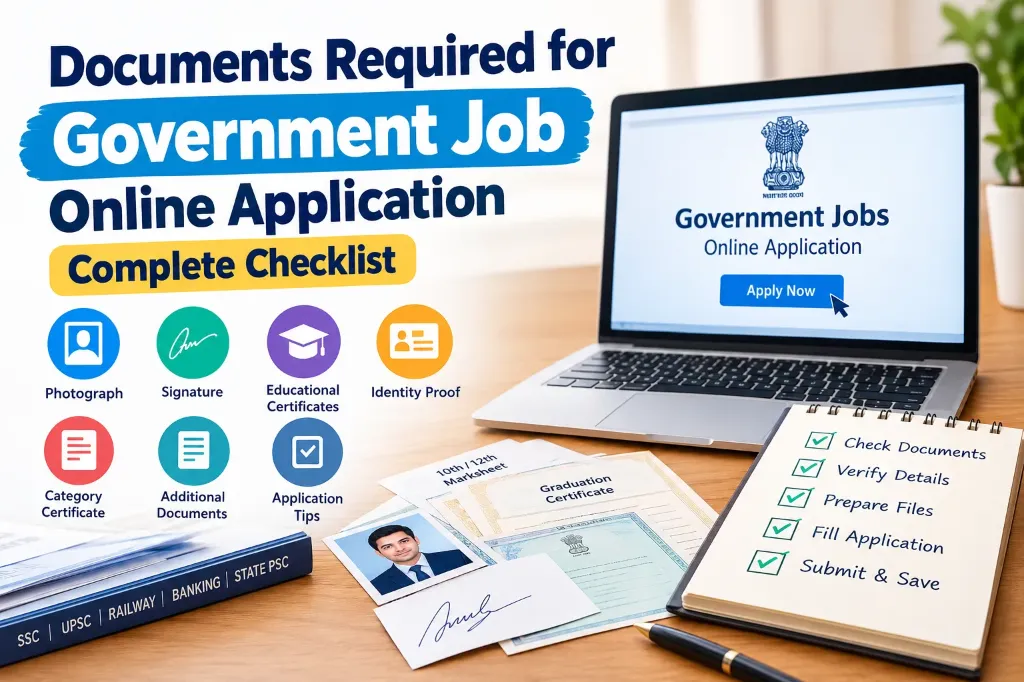
When applying for a government job online, many candidates are unsure about which documents they need to prepare in advance. Sometimes, they cannot find their educational details, their photograph or signature does not meet the required specifications, or they discover that their category certificate needs to be updated.
These small issues can delay the application process or create unnecessary stress, especially for first-time applicants.
If you are planning to apply for a government job, preparing a checklist of documents and personal details before starting the application can make the process much easier.
In this guide, you will learn about the documents required for government job online application, which documents are commonly needed, which additional certificates may be required for specific candidates, and what you should check before submitting your form.
Keep in mind that every government recruitment process has different requirements. SSC, UPSC, Railway, Banking, State Public Service Commission, and other recruitment boards may follow different application procedures. Use this checklist to prepare in advance and always verify the final requirements in the official notification for your specific recruitment.
1. Documents Required for Government Job Online Application
Most candidates should keep a few basic documents and personal details ready before starting an online government job application:
| Document or Information | Why It May Be Required |
|---|---|
| Passport-size photograph | For identification and application records |
| Scanned signature | To complete the application form |
| Educational certificates | To verify educational qualifications |
| Mark sheets | To provide marks, percentages, or CGPA details |
| Date of birth proof | To verify the candidate’s date of birth |
| Identity proof details | To provide identification information |
| Active mobile number | For OTP verification and notifications |
| Active email address | For registration and application updates |
| Category certificate | For applicable reservation benefits |
| Payment method | To pay the application fee, if required |
Not every recruitment process requires candidates to upload all these documents while submitting the application. Some forms only ask for information from the documents, while the original certificates are checked later during document verification.
Therefore, it is important to understand the difference between keeping a document ready and being required to upload it during the application process.
2. Prepare Your Photograph and Signature in Advance
Photograph and signature requirements are among the most common sources of difficulty during online applications. Even if your images are correct, they may be rejected if they do not meet the specified file size, format, or dimensions.
Photograph Checklist
- Prepare a recent, clear photograph before starting your application.
- Make sure your face is clearly visible.
- Use suitable lighting and a background that allows your face to be identified easily.
- Follow the photograph instructions provided in the official recruitment notification.
- If the portal requires a live photograph, follow its instructions instead of uploading an existing image.
- Check the accepted file format, file size, and dimensions before uploading.
Some recruitment portals require candidates to capture a live photograph during the application process rather than upload a previously taken passport-size photograph. Therefore, do not assume that every government job application accepts an existing photograph.
Signature Checklist
- Prepare a clear digital copy of your signature according to the application instructions.
- Sign neatly on plain white paper if a scanned signature is required.
- Make sure the signature is clear and readable.
- Keep the image properly aligned.
- Use only the file formats and sizes accepted by the recruitment portal.
- Avoid changing the actual appearance of your signature or using someone else’s signature.
If your signature image is larger than the permitted file size, you can use our free Signature Resizer Online Tool to resize dimensions and compress file size without losing clarity. For exam-specific instructions, refer to our dedicated guides for SSC CGL Signature Size 2026, UPSC CSE Signature Size 2026, and IBPS PO Signature Size 2026. If you experience upload issues or blurriness, check our guides on Signature Upload Failed in Online Application Form and Signature Image Not Clear in Application Form.
3. Educational Documents and Qualification Details
Educational qualifications are among the most important details in a government job application. Before filling out the form, collect the certificates and mark sheets related to your education.
Depending on the post, you may need:
- Class 10 mark sheet and certificate
- Class 12 mark sheet and certificate
- Graduation mark sheets and degree certificate
- Postgraduate certificate, if applicable
- Diploma or ITI certificate, if required for the post
- Relevant professional course certificates
- Board or university name
- Roll number or registration number
- Passing year and marks or CGPA
You may not need to upload every document listed above. For example, some posts require a graduation degree, while others may require Class 12, an ITI qualification, or a specific technical qualification.
When entering educational details, refer to your original certificates. Avoid guessing your percentage, passing year, or CGPA.
If your final degree has not yet been issued but you have completed the examination, carefully check the eligibility conditions in the official notification. Completing an examination does not automatically make a candidate eligible for every recruitment process.
4. Identity Proof and Date of Birth Proof
Government job applications may require personal identification details and proof of date of birth.
Depending on the recruitment rules, acceptable identity documents may include Aadhaar, voter ID, passport, driving licence, or another identification document specified by the recruitment authority.
However, Aadhaar is not mandatory for every government job application. Some portals ask candidates to enter identity details without requiring them to upload a complete copy of the document.
For date of birth verification, a Class 10 or matriculation certificate is often important. However, the accepted proof depends on the requirements mentioned in the official notification.
Before submitting the form, check the following details:
- Enter your full name correctly.
- Match your date of birth with the accepted document.
- Verify your parents’ names wherever required.
- If your name or date of birth differs across documents, review the recruitment instructions before applying.
Even a small spelling mistake can cause questions during document verification, so carefully review these details before submission.
5. Category Certificates and Reservation Documents
Candidates applying under a reserved category or claiming a specific benefit may need additional certificates:
| Category | Document That May Be Required |
|---|---|
| SC | Valid Scheduled Caste certificate |
| ST | Valid Scheduled Tribe certificate |
| OBC-NCL | OBC and Non-Creamy Layer certificate as required by the applicable rules |
| EWS | Income and Asset Certificate in the prescribed format |
| PwBD | Valid disability certificate or prescribed documentation |
| Ex-servicemen | Service, discharge, or other relevant certificate based on eligibility |
Having a certificate is not always sufficient. Its format, issuing authority, validity period, and compliance with the applicable category rules may also matter.
Pay particular attention to OBC-NCL and EWS certificates. Carefully check the conditions specified in the recruitment notification because certificate requirements can differ between central and state government recruitment processes.
If you are not claiming a particular reservation benefit, you do not need to obtain an unnecessary certificate for that category. Select the category that applies to you and ensure that you meet its eligibility requirements.
6. Additional Documents for Specific Candidates
Not every candidate has the same educational background, employment status, or eligibility conditions. Some applicants may need additional documents based on the post or their individual circumstances.
Experience Certificate
If the position requires previous work experience, prepare an experience certificate issued by your employer. It should clearly mention your designation, employment period, and other required details.
NOC or No Objection Certificate
Candidates already working in certain government departments or organisations may need a No Objection Certificate, depending on the applicable service rules and recruitment instructions. The requirement is not the same for every employee or vacancy. Check the official notification and relevant service rules.
Domicile or Residence Certificate
Some state government recruitments may require a domicile or residence certificate. It may be used to establish eligibility for local requirements or benefits mentioned in the recruitment notification.
Driving Licence or Technical Registration
Certain positions, including driver, nurse, pharmacist, and other technical roles, may require a valid licence, professional registration, or a specialised qualification certificate.
Name Change Documents
If you have legally changed your name or your name appears differently across educational documents, you may need an affidavit, Gazette notification, or another accepted document. Check the recruitment authority’s instructions to determine which proof is acceptable.
Other Special Certificates
Depending on the recruitment process, candidates may need an NCC certificate, sports certificate, apprenticeship certificate, or proof of another specific qualification. Prepare these documents only when they are relevant to the post or a benefit you are claiming.
7. How to Prepare Digital Files Before Filling Out the Form
Sometimes, candidates have all the required documents but face errors while uploading them. Preparing your digital files in advance can help prevent these problems.
Follow these simple steps:
- Scan your documents or prepare clear digital copies.
- Open each file and check that the text, photograph, and other details are readable.
- Check the file formats accepted by the portal, such as PDF, JPG, or JPEG.
- Verify the minimum and maximum file size permitted for each upload.
- Check image dimensions whenever the notification specifies them.
- Use simple file names so you can identify documents easily.
- Preview each uploaded file on the portal before proceeding.
For example, you can name your files photo.jpg, signature.jpg, class10-marksheet.pdf, and degree-certificate.pdf to keep them organised.
These file names are only suggestions for your convenience. If the recruitment portal specifies a particular naming convention, follow those instructions instead. Do not reduce the image quality so much that important details become unreadable simply to meet a file-size limit. If you need step-by-step guidance on resizing, read our Signature Resizer Online Free Guide.
8. Application Fees and Registration Details
Apart from documents, you should also prepare the personal and registration details that may be required during the application process.
Keep the following information accessible:
- An active mobile number
- An active email address
- Current and permanent address details, where required
- Educational roll numbers
- Relevant registration numbers
- An accepted payment method for the application fee
- OTR or One Time Registration details, if applicable
Some recruitment boards require candidates to complete a registration or create a profile before applying for a vacancy. Other portals allow candidates to apply directly for a specific recruitment.
If you have already completed One Time Registration, keep your registration details ready. However, remember that registration with one department or recruitment board may not be valid on another portal.
Caution: Never share your OTP or password with an unknown person. Be careful when dealing with unofficial websites or agents claiming to offer government job application services.
9. How to Check Exam-Specific Document Requirements
After preparing the common documents, check the specific requirements for the government job you want to apply for.
Pay attention to the following questions:
- Is a live photograph required?
- Do you need to upload your signature or other documents?
- What educational qualifications are compulsory?
- Is a category certificate required in a prescribed format?
- Must a certificate be issued on or before a particular date?
- Are experience, NOC, or professional licence documents required?
- Must original certificates be presented during document verification?
For example, the photograph capture and signature upload requirements for an SSC recruitment may differ from those of a Railway, UPSC, or State Public Service Commission recruitment.
You can visit the Staff Selection Commission official website to review recruitment notices and instructions for SSC examinations. For other examinations, visit the official website of the relevant recruitment authority and read the latest notification. If you prefer offline or assisted form submission, our CSC VLE Online Form Filling Services Guide provides valuable insights into local assistance.
Do not rely entirely on instructions from an older recruitment cycle. Requirements can change, so the latest official notification should be your primary reference.
10. Final Checklist Before Submitting Your Application
Before submitting your online application, take a few minutes to review all the information. This simple step can help you identify mistakes before they become difficult to correct:
- Your name and date of birth match the accepted documents.
- Your educational qualifications and passing years are correct.
- Your category and reservation details are accurate.
- Your photograph is clear and meets the specified requirements.
- Your signature is readable and the correct file has been uploaded (avoiding issues explained in our Government Exam Form Rejected Due to Signature guide).
- All required additional certificates are available.
- Your mobile number and email address are correct.
- You have checked the application fee requirements.
- You have reviewed the entire application preview.
- You know how to save the submission confirmation or receipt.
Keep your application number, submitted form, and payment receipt in a safe place. If the portal allows you to download the completed application as a PDF, save a copy on your device.
If you notice a mistake after submission, check whether the recruitment authority provides a correction window. Not every recruitment process allows candidates to edit all details after submitting the form. For a comprehensive walkthrough of the entire registration process, check our Online Govt Exam Form Guide.