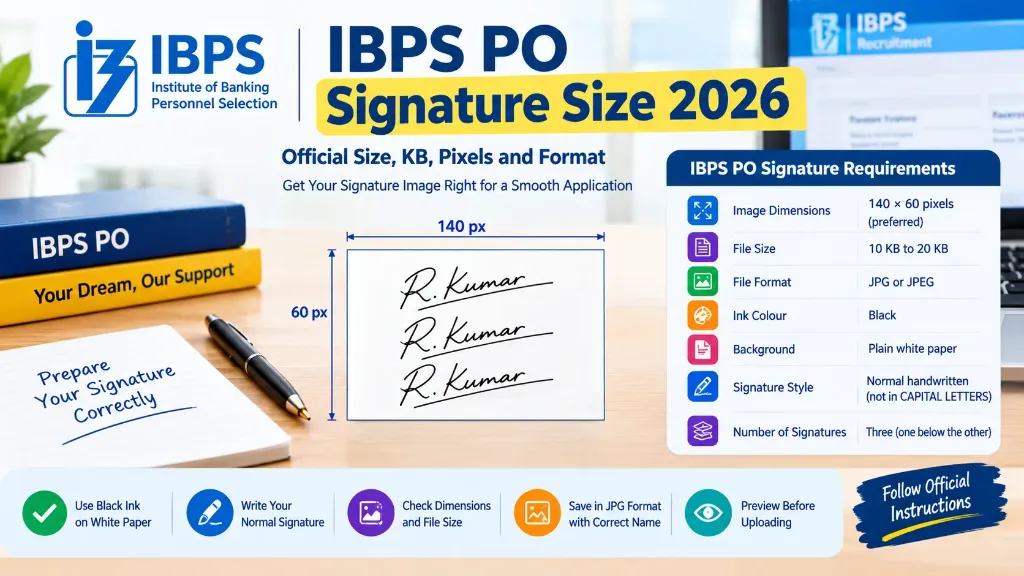
Are you preparing your signature image for the IBPS Probationary Officer application? Before uploading it, make sure you understand the prescribed dimensions, file size, image format and signature guidelines.
A small mistake during document uploading can create unnecessary problems during registration. Your signature may look clear on your computer but still fail to meet the application’s technical requirements.
This guide explains the IBPS PO signature size 2026, how to prepare the image correctly, common upload mistakes and what candidates should check before submitting their application.
The information below refers to the IBPS CRP PO/MT-XVI recruitment cycle. Candidates applying in a future recruitment cycle should check the latest notification before using the same specifications.
IBPS PO Signature Size 2026: Official Requirements
According to the signature upload instructions provided through the official IBPS application resources, candidates should follow these requirements:
| Requirement | IBPS PO 2026 specification |
|---|---|
| Signature image dimensions | 140 × 60 pixels, preferred |
| File size | 10 KB to 20 KB |
| Image format | JPG or JPEG |
| Paper background | White paper |
| Ink colour | Black ink |
| Signature style | Normal handwritten signature |
| Capital letters | Signature must NOT be in CAPITAL LETTERS |
| Image quality | Clear and properly visible |
| Ownership | The candidate must sign personally |
The dimensions of 140 × 60 pixels are marked as preferred in the instructions. The file size should remain within the prescribed 10 KB to 20 KB range.
You can check the Official IBPS PO/MT-XVI recruitment page and the Official IBPS PO application portal and document guidelines, where the relevant notification and document upload guidance are provided. You can also use our dedicated IBPS Signature Resizer Tool to automatically resize and compress your signature to 140 × 60 pixels and 10–20 KB in one click.
What Is the Correct IBPS PO Signature Size in Pixels?
The preferred signature image dimensions are 140 pixels in width and 60 pixels in height.
This is a landscape layout, meaning the image is wider than it is tall. The shape provides space for a handwritten signature while keeping the image compact:
| Image dimensions | Status |
|---|---|
| 100 × 40 pixels | Smaller than the preferred dimensions |
| 140 × 60 pixels | ✅ Preferred dimensions |
| 160 × 70 pixels | Different from the preferred dimensions |
| 250 × 100 pixels | Larger than the preferred dimensions |
The table compares dimensions with the preferred size. It does not mean that every other dimension will automatically be rejected. Follow the specific application portal’s instructions and validation rules.
When resizing an image, avoid stretching the signature unnaturally. The writing should remain clear and should resemble your original handwritten signature.
IBPS PO Signature File Size in KB
The prescribed signature image file size is between 10 KB and 20 KB:
| Signature file size | Meets the prescribed range? |
|---|---|
| 5 KB | ❌ No, below the minimum (10 KB) |
| 10 KB | ✅ Yes, at the minimum |
| 15 KB | ✅ Yes, within the range |
| 20 KB | ✅ Yes, at the maximum |
| 25 KB | ❌ No, above the maximum (20 KB) |
These examples cover file size only. Your image must also follow the format and signature requirements.
How to Reduce the Signature Image Size
If your signature file is larger than 20 KB, you can reduce it using our free Signature Resizer Tool:
- Open the scanned signature in the tool or an image editor.
- Crop unnecessary blank space around the writing.
- Resize the image to the preferred dimensions (140 × 60 px).
- Export the image in JPG or JPEG format.
- Adjust image quality until the file is within the permitted 10–20 KB range.
- Open the final image and confirm that the signature remains readable.
Avoid excessive compression. A very small image may become blurred, making your signature difficult to recognise.
If the image is below 10 KB, save it again using suitable export settings. Do not artificially alter the signature to increase the file size.
Which Ink Should You Use for the IBPS PO Signature?
Candidates should sign on white paper using a black ink pen.
Keep these points in mind:
- Use clean white paper.
- Write your normal signature clearly.
- Ensure the ink is dark enough to be visible.
- Avoid shadows, stains and unnecessary marks.
- Scan the complete signature without cutting off any part of it.
Your uploaded signature should be your own. Do not ask another person to sign on your behalf, and do not use a computer-generated signature as a substitute for the handwritten signature required by the instructions.
Can You Write Your IBPS PO Signature in Capital Letters?
No. The IBPS signature instructions state that the uploaded signature should not be in CAPITAL LETTERS.
Write your regular handwritten signature instead of writing your name entirely in block capitals.
For example, writing your full name in separate capital letters is not the same as providing your usual handwritten signature.
Use the signature you can reproduce consistently during the examination and related recruitment formalities. The uploaded image should be clear and consistent with the signature you use later.
How to Prepare an IBPS PO Signature Image Step by Step
Preparing the signature in advance can help you avoid technical problems during application submission:
Step 1: Take a White Sheet of Paper
Use plain white paper with enough space for your signature. Avoid a coloured sheet, ruled paper or a background containing printed text.
Step 2: Sign With a Black Ink Pen
Write your usual signature clearly. Make sure the writing is neither too faint nor unnecessarily large. Allow the ink to dry before scanning the paper.
Step 3: Scan the Signature
Scan the signature using a scanner or a mobile phone camera. If you use a mobile phone, keep the camera directly above the paper and use adequate lighting. Avoid shadows and camera movement.
Step 4: Crop the Image
Remove unnecessary blank areas while preserving the entire signature. Do not cut off the beginning, ending or any other part of the writing.
Step 5: Resize the Image
Set the dimensions to 140 × 60 pixels where possible, as recommended in the IBPS instructions. You can use our IBPS Signature Resizer to apply this preset instantly.
Step 6: Save the Image as JPG or JPEG
Export the image in the accepted format. Changing a file name from PNG to JPG does not convert the actual image format. Use our Signature Resizer Online Free Guide to understand proper format conversion.
Step 7: Adjust the File Size
Check that the final file is between 10 KB and 20 KB. If necessary, use suitable compression settings without compromising clarity.
Step 8: Preview Before Uploading
Open the final file and verify that it displays correctly. Make sure the image is clear, the signature is your own, the format is correct and the file size meets the prescribed range.
Common IBPS PO Signature Upload Mistakes
Even a carefully prepared signature can cause problems if the file does not follow the application instructions:
- Uploading a Blurred Signature: A blurry image may be difficult to read. Prepare a new scan if the writing is unclear.
- Exceeding the 20 KB File Size: A file larger than the permitted maximum may fail the portal’s validation. Reduce the file size without making the signature unreadable.
- Using the Wrong Image Format: Save the signature in JPG or JPEG format as instructed. Do not upload a different format unless the active portal explicitly permits it.
- Writing the Name in Capital Letters: Your signature should not be a name written entirely in capital letters. Use your normal handwritten signature.
- Uploading Someone Else’s Signature: The signature must belong to the candidate. Never upload an image signed by another person.
- Uploading the Signature in the Wrong Field: Check that the signature has been uploaded to the signature field rather than the photograph or thumb impression field.
- Failing to Preview the Uploaded Image: After uploading, review the image shown on the application page. Confirm that it is visible and correctly positioned.
If you want to understand how application rejections happen and how to resolve them, check our guide on Government Exam Form Rejected Due to Signature: Reasons and Solutions. For broad application advice, visit our Online Govt Exam Form Filling Guide.
What Should You Do If the IBPS PO Signature Is Not Uploading?
If the portal does not accept your signature, check the file details first:
Verify the format, file size, dimensions and clarity. Make sure the image contains your actual handwritten signature on white paper and that it is not written in capital letters.
If everything appears correct but the upload still fails, prepare a fresh image and try again using our Signature Resizer Tool. You can also visit your nearest CSC centre for assistance (read our CSC VLE Online Form Filling Services Guide).
Do not assume that using a signature resizer automatically makes the image compliant. You remain responsible for checking the final image against the official requirements.
If you have already submitted your application, do not assume that the signature can be changed at any time. Check the applicable correction rules and deadlines.
Important Tips for Candidates
Before completing the application, remember these practical points:
- Keep your signature consistent: Use a signature you can reproduce during the examination and subsequent recruitment stages.
- Check every image separately: A photograph, signature, thumb impression and handwritten declaration each have separate requirements.
- Compare with other exams: Notice how banking exams differ from SSC (read our SSC CGL Signature Size 2026 Guide) or civil services (read our UPSC CSE Signature Size 2026 Guide).
- Save the final file: Keep a copy of the exact image you uploaded, along with your application acknowledgement.
- Follow the latest notification: The technical specifications for one recruitment cycle should not automatically be used for another.
- Use official resources first: If an unofficial website provides different information, check the relevant IBPS notice and portal instructions before proceeding.
Final Checklist Before Uploading Your IBPS PO Signature
Use this checklist before submitting your application:
- Signature prepared on clean white paper.
- Black ink used.
- Normal handwritten signature, not CAPITAL LETTERS.
- Preferred dimensions of 140 × 60 pixels.
- File size between 10 KB and 20 KB.
- JPG or JPEG format.
- Signature is clear and readable.
- Complete signature is visible without cropping.
- Image uploaded in the correct field.
- Final upload checked against the official instructions.