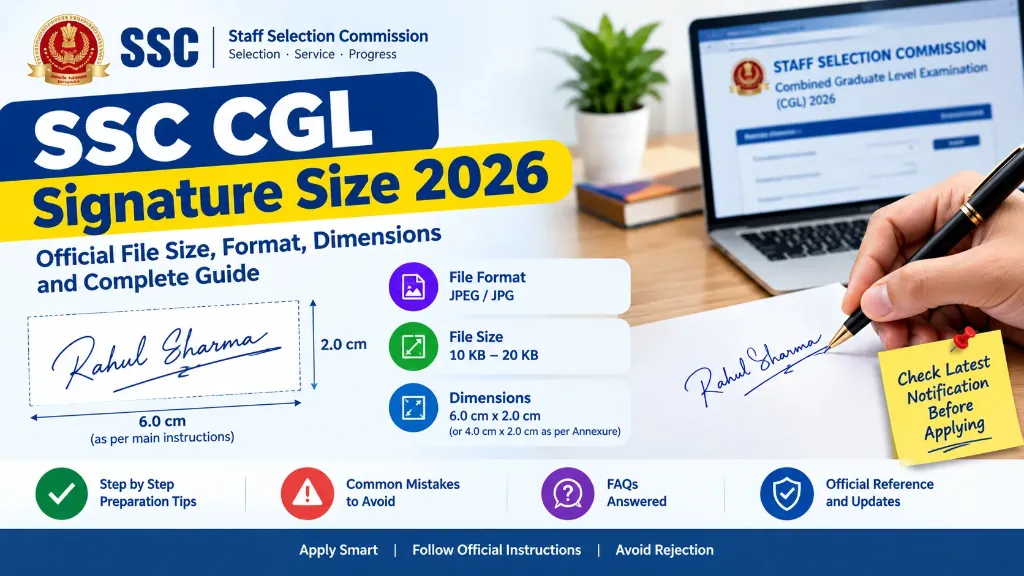
Are you preparing to apply for the SSC CGL 2026 examination and looking for the correct signature size? Uploading a signature in the wrong format, exceeding the permitted file size or submitting a blurred image can create problems during the application process.
The Staff Selection Commission has specified requirements for the scanned signature in its SSC CGL 2026 notification. Candidates should prepare their signature carefully and verify the instructions on the official application portal before submitting the form.
This guide explains the SSC CGL signature size 2026, accepted file format, file-size limits, image dimensions, common mistakes and steps to prepare a clear signature image.
SSC CGL Signature Size 2026: Quick Overview
According to the official SSC CGL 2026 notification, paragraph 9.6 specifies the following signature requirements. The annexure contains a different width measurement, which is explained below.
| Requirement | Official specification |
|---|---|
| File format | JPEG or JPG |
| File size | 10 KB to 20 KB |
| Signature dimensions | About 6.0 cm wide × 2.0 cm high in paragraph 9.6 (or 4.0 cm × 2.0 cm in Annexure-IV) |
| Image clarity | Must not be blurred or miniature |
| Orientation | Keep the signature horizontally aligned |
| Background | Use a clean, plain background for a clear scan |
| Pixel dimensions | No single pixel width and height are specified in paragraph 9.6 |
Important: The SSC CGL 2026 notification has an inconsistency in the prescribed width. Paragraph 9.6 specifies approximately 6.0 × 2.0 cm, while Annexure-IV specifies approximately 4.0 × 2.0 cm. Check the official portal’s upload instructions before final submission.
You can read the official SSC CGL 2026 notification on the SSC website. You can also use our specialized SSC Signature Resizer Tool to resize your signature according to these exact parameters in one click.
What Is the Correct SSC CGL Signature Size in Pixels?
Many candidates search for an exact pixel size, such as 140 × 60 pixels, 300 × 100 pixels or 600 × 200 pixels.
However, the main signature requirement in the SSC CGL 2026 notification specifies physical dimensions in centimetres rather than a mandatory pixel width and height.
Pixel dimensions depend on the image resolution. For example, an image measuring 6 × 2 cm at 300 DPI is approximately 709 × 236 pixels, whereas at 200 DPI it is about 472 × 157 pixels.
This is a mathematical conversion, not an independently prescribed SSC pixel-size requirement.
The practical approach is to prepare a clear signature image that meets the official file-size and format limits, follows the dimension shown by the current application portal, and remains readable when uploaded.
Do not rely on arbitrary pixel dimensions published by third-party websites unless you have checked them against the applicable SSC instructions.
Why Does the SSC CGL Notification Mention Two Different Dimensions?
This is an important detail for candidates applying in 2026.
The main instructions in paragraph 9.6 specify a signature dimension of approximately 6.0 cm in width and 2.0 cm in height.
However, Annexure-IV of the same notification specifies approximately 4.0 cm in width and 2.0 cm in height.
Both sections also mention the JPEG or JPG format and a file size of 10 KB to 20 KB.
Because the two sections do not agree on the width, candidates should not assume that either measurement automatically overrides the other in every situation.
Before uploading your signature:
- Open the official SSC CGL 2026 notification.
- Review paragraph 9.6 and Annexure-IV.
- Check the signature instructions displayed on the official application portal.
- Follow any applicable clarification or updated instruction issued by SSC.
- Confirm that the final image meets the displayed file-size and format limits.
If the portal does not make the correct width clear, consult the official SSC helpdesk rather than guessing.
How to Prepare Your SSC CGL Signature Image
Follow these steps to prepare a clear signature for your application:
Step 1: Sign on Plain White Paper
Take a clean sheet of white paper and write your usual signature using a dark pen.
Make sure the writing is clear and easy to distinguish from the background.
Avoid ruled paper, smudges, unnecessary marks and shadows that could make the scanned image difficult to read.
Step 2: Scan the Signature Clearly
Scan the signed paper or take a clear image using a suitable device.
Keep the paper flat and ensure that the complete signature is visible. Avoid taking a photograph at an angle because it can distort the proportions.
Check the image before proceeding to the next step.
Step 3: Crop the Image Carefully
Remove excessive blank space around the signature while keeping every part of the writing visible.
If the signature occupies only a small portion of the image, it may appear miniature after uploading.
Do not crop the beginning or end of the signature. The aim is to produce a clear image rather than simply a smaller file.
Step 4: Resize According to the Applicable Instructions
Check the dimensions shown in the SSC application instructions.
Resize the image proportionately wherever possible. Stretching a signature to fit a particular width and height can distort the handwriting.
Because the 2026 notification contains different width measurements in its main instructions and annexure, verify which specification the application portal requires before finalising the image. You can use our free Signature Resizer Tool to adjust your dimensions to either 6 × 2 cm or 4 × 2 cm easily.
Step 5: Convert the Image to JPEG or JPG
Save or export the final signature image in JPEG or JPG format.
Simply changing a filename from PNG to JPG does not convert the image format. Use an image editor or our Signature Resizer Online Free tool to produce a valid JPEG file.
Open the converted image to make sure it displays correctly.
Step 6: Adjust the File Size to 10–20 KB
The official paragraph 9.6 specifies a file size between 10 KB and 20 KB.
If your image is larger than the limit, use moderate compression. If it is too small, prepare a better-quality source image and adjust the compression settings as needed.
Avoid repeatedly compressing the same image because excessive compression can introduce blur and reduce readability.
Step 7: Preview the Final Signature
Before uploading, check the following:
- The image opens correctly.
- The format is JPEG or JPG.
- The file size is within the required range (10 KB to 20 KB).
- The signature is complete and readable.
- The image is not excessively small or distorted.
- The dimensions match the applicable portal instructions.
Once the signature has been uploaded, use the application preview to inspect it again before final submission.
Common Mistakes That Can Cause Signature Upload Problems
A signature can meet the file-size limit and still be unsuitable if its quality is poor.
| Common mistake | How to avoid it |
|---|---|
| File size exceeds 20 KB | Compress the image carefully |
| File size is below 10 KB | Prepare a clearer source image and adjust compression |
| Unsupported format | Export the image as JPEG or JPG |
| Blurred handwriting | Scan again with better focus and lighting |
| Miniature signature | Crop excessive blank space and follow the required dimensions |
| Cropped handwriting | Keep the entire signature visible |
| Distorted proportions | Resize without stretching the image |
| Incorrect width | Verify current portal instructions (6.0 × 2.0 cm vs 4.0 × 2.0 cm) |
If your application gets rejected or flagged due to document issues, read our detailed guide on Government Exam Form Rejected Due to Signature: Reasons and Solutions. For general submission tips, also consult our Online Govt Exam Form Filling Guide.
A successful upload does not guarantee that every application requirement has been met. Candidates should check the full application and follow all relevant instructions.
Does SSC CGL 2026 Require a Separate Photograph Upload?
The application process also includes instructions about the candidate’s photograph.
Under the SSC CGL 2026 notification, the application module is designed to capture the candidate’s photograph during the application process. Candidates are instructed to follow the live-photo capture requirements.
Therefore, do not automatically apply older photograph-upload specifications to the 2026 application.
Follow the live-photo instructions displayed by SSC, including requirements related to lighting, face position and a clear frontal view.
The photograph and signature are different parts of the application process. Preparing the signature correctly does not remove the need to follow the photograph instructions.
Can Aadhaar-Based Authentication Affect Signature Rejection?
The SSC CGL 2026 notification states that applications submitted through Aadhaar-Based Authentication will not be rejected on the specified grounds relating to photograph or signature standards described in paragraph 9.3.
Candidates should read this provision carefully and understand the conditions applicable to their own application.
Do not assume that Aadhaar-Based Authentication removes every application requirement or guarantees acceptance. Candidates must still provide correct information, satisfy eligibility conditions and comply with the other applicable instructions.
If you are unsure whether a particular provision applies to you, consult the official notification or SSC helpdesk.
What Should You Do If Your SSC CGL Signature Is Rejected?
If the application portal reports a signature problem, first identify the exact issue.
Check whether the file format, size, dimensions or image clarity is responsible. Review the official instructions and see whether the application correction facility is available and permits the required change.
If a correction is permitted, prepare a corrected image using our Signature Resizer Tool and follow the prescribed submission procedure.
Do not assume that every rejected signature can be replaced after submission. Correction opportunities and deadlines depend on the applicable SSC rules.
Keep a copy of your application acknowledgement and any correction confirmation for your records.
Final Checklist Before Uploading Your SSC CGL Signature
Before submitting your application, confirm these points:
- The file is in JPEG or JPG format.
- The file size is between 10 KB and 20 KB.
- The signature is clear and readable.
- The complete signature is visible.
- The image is not miniature or distorted.
- The dimensions match the applicable official instructions.
- You have checked the application preview.
- You have reviewed the latest instructions on the official SSC website.
The safest approach is to prepare your signature carefully, verify the conflicting dimension instructions and inspect the final image before submitting the form. This helps reduce avoidable upload errors while keeping your application aligned with the official requirements.