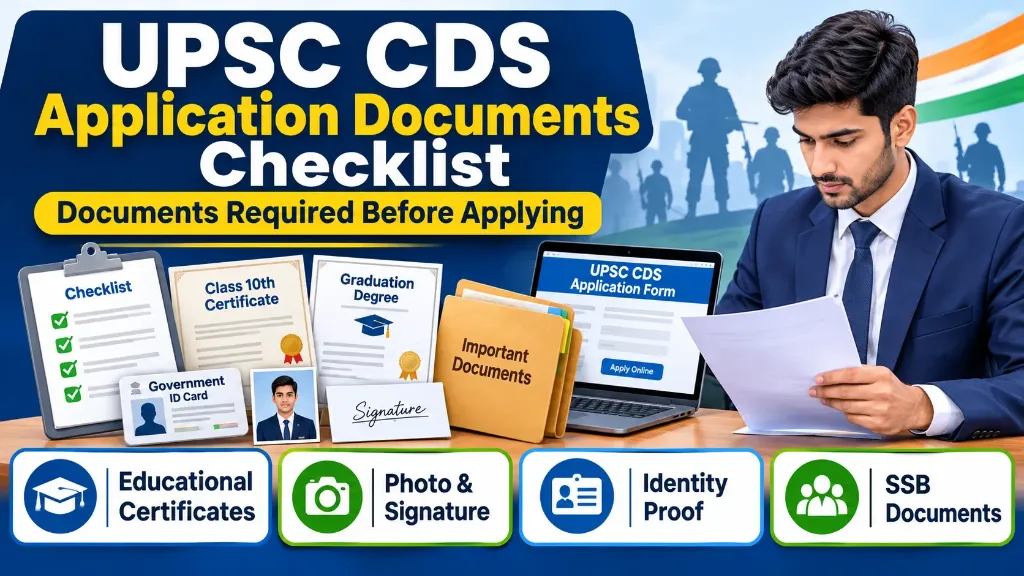
Preparing your documents before filling out the UPSC CDS application form can save you time and help you avoid unnecessary mistakes.
Every year, many candidates start filling out the Combined Defence Services examination form without checking their documents first. Some enter an incorrect date of birth, upload an unclear photograph or signature, or fail to arrange the certificates needed to support their educational qualification.
These small mistakes can create problems during the application process or document verification.
The good news is that you do not need to arrange every certificate in your file before starting the application. However, some important documents and details should be ready in advance.
In this guide, you will find the complete UPSC CDS application documents checklist, including photographs, signature, identity proof, educational certificates and documents required for the SSB interview.
UPSC CDS Application Documents Checklist: Quick Overview
Before starting your UPSC CDS application, keep the following documents and details ready:
| Document or detail | Why you need it |
|---|---|
| Class 10th certificate or marksheet | Date of birth verification |
| Government photo ID | Candidate identification |
| Recent passport-size photograph | Online application |
| Live photograph | Common Application Form |
| Scanned signature | Online application |
| Graduation certificate | Educational qualification |
| Final-year college certificate | For candidates appearing in final year |
| Class 12th certificate or marksheet | Useful for specific educational eligibility, especially AFA |
| Category or other supporting certificate | Only when applicable to a claim |
| Active email ID and mobile number | Registration and communication |
| Online payment facility | Examination fee, if applicable |
Important: The exact documents requested for upload may depend on the current UPSC application instructions. Keep the relevant certificates ready, but upload only what the official portal asks you to submit.
1. Class 10th Certificate or Marksheet
Your Class 10th certificate is one of the most important documents for the UPSC CDS application.
It helps you confirm your personal information and date of birth.
Keep your Class 10th certificate or equivalent document issued by a recognised board ready before filling out the form.
Check these details carefully:
- Candidate’s full name
- Father’s name
- Mother’s name
- Date of birth
- Board name
- Certificate details
Your name and date of birth in the application should match your official records.
Even a small spelling difference can create problems during document verification.
Tip: Keep a clear scanned copy of your Class 10th certificate. You may need it while completing the application and later during SSB document verification.
2. Government Photo ID Proof
Candidates need details of one valid government-issued photo identity card for the UPSC registration process.
The CDS examination notification lists the following accepted identity documents:
- Aadhaar Card
- Voter ID Card or EPIC
- PAN Card
- Passport
- Driving Licence
- Any other photo ID card issued by the Central or State Government
UPSC strongly recommends using Aadhaar for easier identity verification and authentication.
Before entering your identity details, check that the name and other information match your records.
Keep the same ID card safely because UPSC advises candidates to carry the selected photo ID during the examination, Personality Test or SSB process.
3. Recent Passport-Size Photograph
A photograph is an important part of the UPSC CDS application.
The current application process requires candidates to upload a photograph while completing the Common Application Form.
Follow these basic preparation guidelines:
- Use a recent and clear colour photograph.
- Keep your face properly visible.
- Look directly towards the camera.
- Avoid blurry or dark photographs.
- Use a plain and suitable background.
- Avoid filters or unnecessary editing.
The photograph should clearly show your face and should allow the commission to identify you.
Do not depend on old photograph instructions from previous UPSC application cycles. Check the latest photograph upload guidelines on the official portal for the accepted file size, format and dimensions.
4. Live Photograph
Many candidates prepare their passport-size photograph but forget about the live photograph requirement.
Under the new UPSC online application process, candidates are required to upload a photograph and also capture a live photograph while filling out the Common Application Form.
Keep your webcam or a suitable camera-enabled device ready for this step.
For a better result:
- Sit in a well-lit place.
- Keep your face directly towards the camera.
- Avoid wearing sunglasses or anything that hides your face.
- Keep your background simple.
- Follow the instructions displayed on the portal.
Make sure your uploaded photograph and live photograph are clear.
5. Scanned Signature
Your scanned signature is another important requirement for completing the UPSC CDS application.
According to the CDS II 2026 notification, candidates must sign three times, one below the other, on plain white paper using black ink.
The uploaded signatures should be clear and readable.
Follow these steps:
- Take a clean white sheet of paper.
- Use a black ink pen.
- Write your signature three times, one below the other.
- Scan the paper clearly.
- Save the image according to the specifications mentioned on the UPSC portal.
- Check the final image before uploading it.
Avoid uploading a blurred, incomplete or heavily edited signature.
Important: Do not follow old signature upload instructions without checking the latest CDS notification. The current notification specifically mentions three signatures on one white sheet.
6. Graduation Certificate or Educational Qualification Proof
Educational qualification is an important eligibility condition for the CDS examination.
The required qualification depends on the academy you choose:
| Academy | Educational qualification |
|---|---|
| Indian Military Academy | Degree from a recognised university or equivalent |
| Indian Naval Academy | Degree in Engineering from a recognised university or institution |
| Air Force Academy | Degree with Physics and Mathematics at 10+2 level, or Bachelor of Engineering |
| Officers’ Training Academy | Degree from a recognised university or equivalent |
If you have already completed your graduation, keep these documents ready:
- Graduation degree certificate
- Provisional degree certificate, if the original degree is not available
- Final-year marksheet
- Other academic records, if required
The educational qualification details entered in your application should be accurate.
Do not claim a degree that you have not completed unless you qualify under the final-year candidate provisions.
7. Documents for Final-Year Graduation Students
Are you studying in the final year of your graduation?
You can also apply for the CDS examination if you meet the conditions mentioned in the notification.
However, you should prepare some additional documents.
Keep the following ready:
- College ID card
- Final-year admission or enrolment details
- Bonafide certificate from your college or university
- Available semester marksheets
- College or university contact details
The bonafide certificate becomes particularly important during the SSB interview process.
It should confirm that you are studying in the final year or semester and are eligible to submit proof of passing the degree examination within the prescribed time.
Remember that final-year candidates must submit their degree completion proof by the applicable deadline mentioned in the examination notice.
8. Class 12th Certificate or Marksheet
Although graduation is required for CDS, Class 12th records can also be important.
This is especially useful for candidates selecting the Air Force Academy.
The Air Force Academy qualification requires a degree with Physics and Mathematics at the 10+2 level, or a Bachelor of Engineering.
Therefore, keep your Class 12th marksheet or certificate ready if you are relying on Physics and Mathematics studied at this level to satisfy the eligibility requirement.
This document can help support your educational qualification during verification.
9. Other Supporting Certificates, If Applicable
Some candidates may need additional documents to support specific claims or eligibility conditions.
For example:
- NCC C Certificate, where applicable to the relevant vacancy or claim.
- Equivalent qualification certificate, if claiming an officially recognised equivalent qualification.
- Other supporting certificates specifically requested by UPSC.
Do not upload unrelated certificates just because you have them.
Always check the current examination notice and the document upload instructions before submitting any additional document.
10. Documents Required at SSB Interview
One important thing candidates should understand is that documents required during the initial online application and documents required at the SSB interview are not always the same.
The CDS examination notification states that original document verification is undertaken after candidates qualify for the interview or Personality Test.
Candidates should therefore arrange their original certificates well before the SSB stage.
The following documents are especially important:
| Document | Purpose |
|---|---|
| Original Class 10th certificate | Date of birth verification |
| Original graduation degree | Educational qualification |
| Provisional degree certificate | If the original degree is not available |
| Degree marksheets | Proof of passing the examination |
| Class 12th certificate or marksheet | Air Force eligibility, where relevant |
| Final-year college certificate | For candidates who have not yet passed their degree |
| Valid government photo ID | Candidate identification |
| NCC C Certificate | If applicable to the relevant claim |
Candidates who have not completed their final-year degree examination must carry the prescribed certificate from their college or institution confirming that they have appeared or are appearing in the final-year examination.
Important: Carry original documents as required by the SSB instructions. Do not rely only on photocopies or photographs stored on your mobile phone.
11. How to Organise Your Documents Before Filling Out the CDS Form
Once you have arranged your documents, follow a simple preparation process:
Step 1: Create a separate folder
Create a folder on your computer named UPSC CDS Application.
Keep all relevant files inside this folder.
For example:
10th-certificate.pdf12th-marksheet.pdfGraduation-certificate.pdfPhoto.jpgSignature.jpgPhoto-ID.pdf
These are suggested file names. Use the actual naming rules specified by the portal whenever they differ.
Step 2: Check your personal information
Compare the following information across your certificates:
- Full name
- Date of birth
- Father’s name
- Mother’s name
Correctly entering these details is important.
Step 3: Check photograph and signature quality
Open both image files and check whether they are clear.
Make sure that the photograph and signature follow the latest UPSC upload requirements.
Step 4: Keep your registration details ready
Use an active email address and mobile number.
You may receive important notifications, authentication messages and application-related communication through these details.
Step 5: Review everything before submission
Before submitting the application, review every section carefully.
Pay special attention to your personal details, educational qualification, academy preferences and examination centre.
The CDS II 2026 notification states that applications cannot be withdrawn after submission and corrections are not allowed after submission.
Therefore, do not rush through the final submission process.
12. Where to Apply for the UPSC CDS Examination?
Candidates must apply through the official UPSC online application portal.
Follow these steps:
- Visit https://upsconline.nic.in/.
- Create an account if you have not already registered.
- Complete the Universal Registration process.
- Fill in the Common Application Form.
- Upload your photograph and signature.
- Complete the examination-specific application.
- Select your preferences and examination centre.
- Pay the examination fee, if applicable.
- Review the information before submitting.
The new UPSC portal has separate sections for account creation, Universal Registration, Common Application Form and examination-specific applications.
You do not need to complete every section for every examination from scratch once your common registration details are created, but check and update your information whenever required.