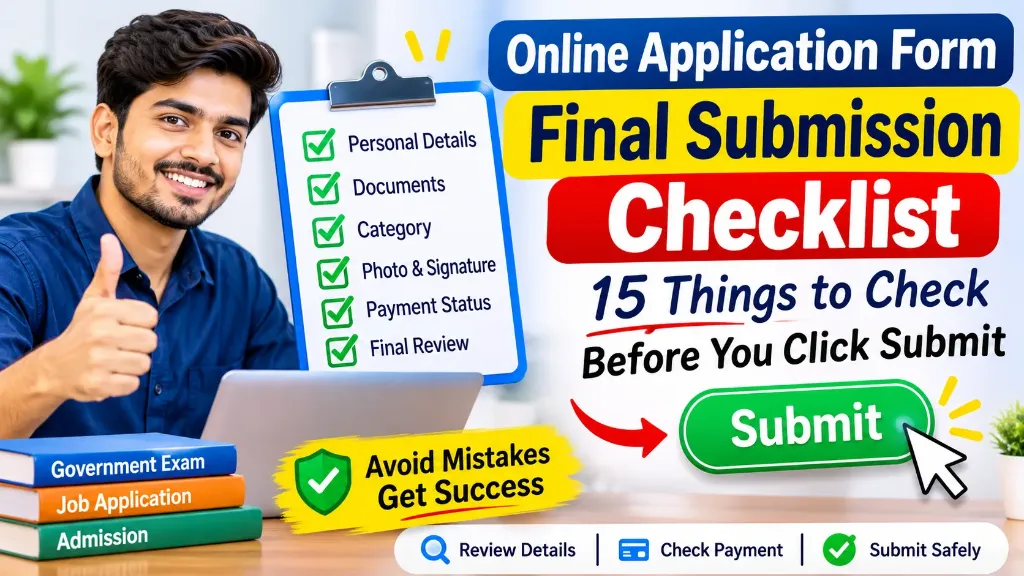
Filling out an online application form may look like a simple task, but one small mistake can create problems later. A spelling error in your name, an incorrect category, an unclear photograph, or an incomplete payment can affect your application.
This is especially important when applying for government exams, private jobs, scholarships, university admissions, or other online services.
Many applicants carefully fill in every field but forget to review the complete form before clicking the final Submit button. Once an application is submitted, some portals do not allow changes. Others provide a limited correction window with specific rules.
That is why you should always follow an online application form final submission checklist before completing the process.
In this guide, you will find 15 important things to check, a practical review table, and useful tips to avoid common submission mistakes.
Why Should You Check Your Application Form Before Final Submission?
An online application form contains important information about your identity, education, eligibility, and supporting documents. The department or organisation may use these details to verify your eligibility and process your application.
An incorrect entry can lead to several problems:
- Your application may be rejected because of incorrect or incomplete information.
- You may not receive important updates because of a wrong email address or mobile number.
- An incorrect category selection may affect your eligibility for a reservation benefit.
- A blurred photograph or signature may fail the document verification process.
- An unsuccessful fee transaction may leave your application incomplete.
Some authorities also restrict changes after final submission. Therefore, checking your details before submitting is much safer than trying to correct mistakes later.
Online Application Form Final Submission Checklist
Before clicking the final Submit button, review the following 15 points carefully.
1. Check Your Full Name and Personal Details
Your name is one of the most important details in an application form.
Compare the name entered in the form with your official documents, such as your Class 10 certificate, identity proof, or other documents required by the organisation.
Check the following:
- First name, middle name, and surname.
- Spelling of your full name.
- Date of birth.
- Gender.
- Father’s or mother’s name, if required.
- Nationality and other personal details.
Important: Do not use a nickname or shortened name unless the application instructions specifically allow it. Follow the document requirements mentioned in the official notification.
2. Verify Your Mobile Number and Email Address
Your registered mobile number and email address may be used for important communication.
For example, you may receive an application confirmation, examination updates, admit card notifications, interview information, or password recovery instructions through these details.
Before submission, verify:
- Your mobile number is correct.
- Your email address has no spelling mistakes.
- You can access the registered email account.
- Your mobile number is active.
- You have access to the OTP sent by the portal, if required.
A wrong email address can make it difficult to receive important information later.
3. Confirm Your Category and Reservation Details
If the application form asks for a category, select the correct option according to your eligibility and supporting documents.
Common categories may include:
- General or Unreserved
- OBC
- SC
- ST
- EWS
- PwBD
Also check whether you have selected the correct reservation or relaxation option, if applicable.
Before submitting, verify the certificate requirements, issuing authority, validity period, and other conditions mentioned in the official notification.
Do not select a reserved category only because you belong to a particular community. You must meet the applicable eligibility conditions for that examination or service.
4. Review Your Educational Qualification
Educational details are another common source of mistakes.
Check every qualification entered in the application form.
| Field | What to verify |
|---|---|
| Qualification | Correct course or examination |
| Board or University | Official name |
| Passing Year | Correct year of completion |
| Roll Number | No incorrect digits |
| Marks or Percentage | Correct information |
| Qualification Status | Passed or appearing, as applicable |
For example, if your Class 12 certificate shows 2024 as the passing year, do not enter 2023 by mistake.
If the form asks for marks, calculate the percentage according to the instructions provided by the authority.
5. Check Your Photograph
An incorrect photograph can create problems during application verification.
Before final submission, open the uploaded photograph and check whether it meets the requirements.
Use this mini-checklist:
- The photograph belongs to you.
- Your face is clearly visible.
- The image is not blurred.
- The background meets the specified requirements.
- The file format is correct.
- The image dimensions and file size meet the instructions.
- Your photograph is recent, if required.
Some examinations also require a live photograph instead of an ordinary scanned photograph.
Always follow the photograph instructions provided for your particular application. Do not assume that the same photograph rules apply to every examination.
6. Verify Your Signature and Other Uploaded Documents
A signature may be used to verify your identity during later stages of the selection process.
Check that your signature is clear and uploaded in the correct section.
Also review other documents, such as:
- Category certificate.
- Educational certificates.
- Identity proof.
- Disability certificate, if applicable.
- Domicile certificate, if required.
- Experience certificate, if applicable.
Confirm that every document is readable and uploaded in the correct format, size, and location.
7. Check Your Address and Other Contact Information
If the form asks for your residential or correspondence address, check each part carefully.
Review your:
- House number and street.
- Village, town, or city.
- District and state.
- PIN code.
- Permanent address.
- Correspondence address.
A wrong PIN code or district may create communication or verification issues.
If your permanent and correspondence addresses are different, make sure you have selected the appropriate option.
8. Verify Your Exam, Post, or Course Preferences
Some application forms allow applicants to select examination centres, job posts, courses, subjects, or preferences.
Review these selections before submission.
For example, check whether:
- You selected the correct examination or post.
- Your preferred examination centre is correct.
- Your subject or course selection is accurate.
- Your post preferences are in the intended order.
- You meet the eligibility conditions for the selected option.
Some portals may not allow you to change these preferences after submission. Read the official instructions before confirming them.
9. Check All Required Fields
Do not assume that a completed-looking form is error-free.
Go through the application section by section and check whether every mandatory field contains the correct information.
Look for:
- Empty required fields.
- Incorrect dropdown selections.
- Missing document uploads.
- Wrong identification numbers.
- Incomplete declarations.
- Incorrect date formats.
If the portal displays a validation error, resolve it before continuing.
10. Review the Complete Application Through the Preview Option
This is one of the most important steps.
Most application portals provide a Preview, Review, or Print Application option before final submission.
Open the preview and carefully read the complete application from beginning to end.
Pay special attention to:
- Your personal details.
- Educational qualifications.
- Category and eligibility information.
- Uploaded photograph and signature.
- Examination or post preferences.
- Contact information.
- Declaration details.
Do not check only the first page. Some mistakes may appear in later sections of the application.
Tip: Read the preview slowly. Compare important details with your original documents instead of checking everything from memory.
11. Read the Declaration Before Ticking the Checkbox
Many online application forms include a declaration confirming that the information provided by the applicant is correct.
Before selecting the I Agree checkbox, read the declaration carefully.
Make sure that:
- You have understood the declaration.
- All the information in your application is correct.
- You have not hidden any required information.
- You agree to the terms mentioned by the authority.
Never tick the declaration checkbox without reviewing the information.
12. Verify the Application Fee
If your application requires a fee, check the amount before making payment.
Verify the following:
- Correct examination or application fee.
- Applicable category fee.
- Payment deadline.
- Available payment methods.
- Any additional transaction charges shown by the portal.
Keep your payment method ready and use only the official payment gateway provided by the application website.
Do not share your OTP, UPI PIN, card PIN, or banking password with anyone.
13. Check the Payment Status Carefully
Completing a payment transaction does not always mean that the application portal has successfully updated your payment status.
After payment, return to the application portal and check the fee status.
Look for a status such as:
- Payment Successful.
- Fee Paid.
- Transaction Successful.
- Payment Pending.
- Payment Failed.
The wording may differ from one portal to another.
If money has been deducted but the portal still displays Pending or Failed, do not immediately make another payment.
First, check your transaction history and the application’s payment instructions. Contact the official helpdesk if the status does not update.
14. Click Final Submit Only After Reviewing Everything
Once you have checked all the information, you can proceed with the final submission.
Before clicking Submit, make sure that:
- All required fields are completed.
- Your documents are uploaded correctly.
- The preview has been checked.
- The declaration is correct.
- The payment process is completed, if required.
- You are submitting the correct application.
Some portals may ask for another confirmation after clicking Submit. Follow the on-screen instructions until the portal displays the final submission status.
Do not close the browser immediately after clicking the button.
15. Download the Confirmation Page and Save Your Application
Your work is not complete until you have verified successful submission and saved the necessary records.
After final submission, look for the confirmation page, application receipt, or submitted application PDF.
Save the following details:
- Application or registration number.
- Final submitted application PDF.
- Confirmation page.
- Payment receipt.
- Transaction ID, if applicable.
- Registered mobile number and email details.
You can save the PDF on your computer and keep another copy in a secure backup location.
Taking a screenshot of the successful submission page can also be useful as an additional record.
Never share your login password or confidential application details publicly.
Sample Online Application Form Final Review
The following example shows how a final application review page may look. It contains fictional sample information to demonstrate the fields applicants should check.
Use the example as a reference, but remember that the actual application layout will depend on the examination, department, or organisation.
Quick Final Submission Checklist
Use this table as a quick reference before submitting your application.
| No. | Details to Check | Status |
|---|---|---|
| 1 | Full name and date of birth | ☐ |
| 2 | Father’s or mother’s name | ☐ |
| 3 | Mobile number and email | ☐ |
| 4 | Category and reservation details | ☐ |
| 5 | Educational qualification | ☐ |
| 6 | Address and PIN code | ☐ |
| 7 | Examination or post preferences | ☐ |
| 8 | Photograph and signature | ☐ |
| 9 | Other required documents | ☐ |
| 10 | All mandatory fields | ☐ |
| 11 | Complete application preview | ☐ |
| 12 | Declaration | ☐ |
| 13 | Application fee and payment status | ☐ |
| 14 | Final submission confirmation | ☐ |
| 15 | Application PDF and payment receipt saved | ☐ |
A useful rule: Do not click the final Submit button until you have checked every applicable item in this list.
Common Mistakes to Avoid During Final Submission
Even careful applicants sometimes make mistakes because they are in a hurry.
Here are some common mistakes you should avoid:
| Common Mistake | How to Avoid It |
|---|---|
| Incorrect name spelling | Match the name with official documents |
| Wrong date of birth | Check your certificate or required ID |
| Incorrect category | Read the eligibility and certificate rules |
| Blurred photograph | Open and inspect the uploaded image |
| Wrong signature file | Check clarity, size, and format |
| Incorrect exam preference | Review every selected option |
| Skipping the preview | Read the complete application |
| Ignoring payment status | Confirm the status on the portal |
| Not saving the receipt | Download the confirmation and PDF |
| Submitting at the last minute | Complete the process before the deadline |
Important Tips for a Safe and Successful Online Application
Apart from checking the application details, follow these practical tips:
1. Use the official website: Always apply through the official portal mentioned in the notification. Avoid unofficial websites that promise to submit forms on your behalf.
2. Do not wait until the last day: Heavy traffic, slow internet, server problems, or payment delays can prevent successful submission.
3. Keep your documents ready: Arrange your photograph, signature, certificates, and personal details before starting the process.
4. Use a secure device: Avoid completing applications on public computers. Always log out after finishing your work.
5. Read the correction rules: Some authorities allow corrections during a limited period, while others restrict changes after submission.
6. Save proof of submission: Keep a copy of your final application and payment receipt until the complete recruitment or admission process is over.