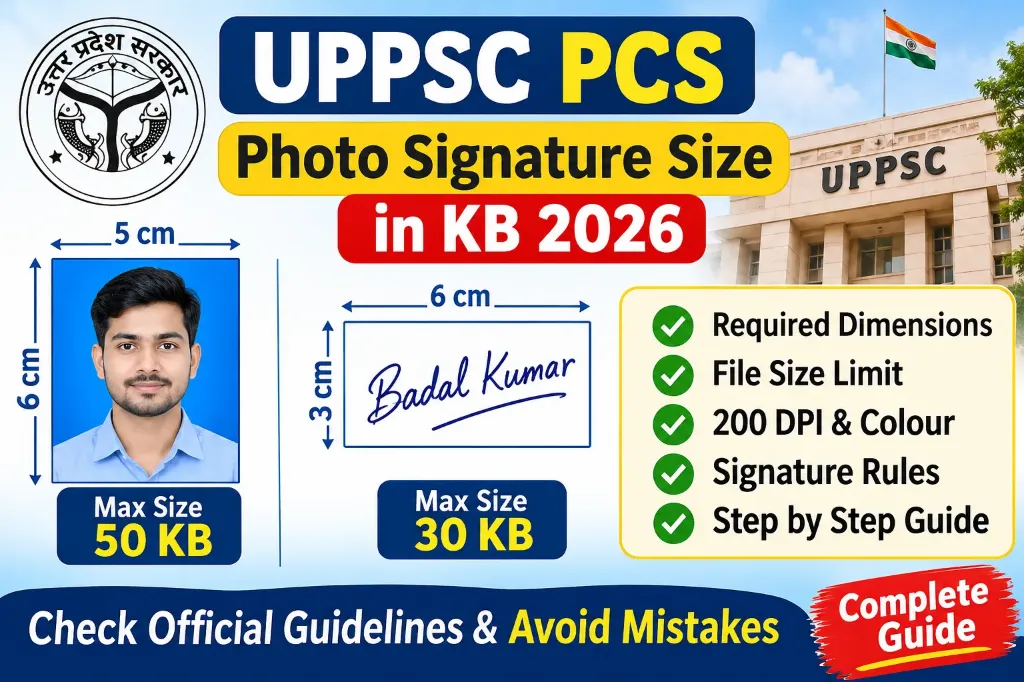
Are you preparing to apply for the UPPSC PCS examination and confused about the required photo and signature size in KB? Before submitting your application, it is important to prepare your photograph and signature according to the instructions issued by the Uttar Pradesh Public Service Commission.
Many candidates face problems while uploading their documents because their image files are too large, have incorrect dimensions, or do not meet the required scanning specifications. Even a small mistake in your photograph or signature can create problems during the application process.
In this article, you will learn about the UPPSC PCS photo signature size in KB, required dimensions, scanning resolution, image quality, signature rules, and the correct way to prepare both files.
The information is based on the official UPPSC One Time Registration guidelines. Candidates should also check the latest examination notification and upload instructions before submitting their application.
UPPSC PCS Photo and Signature Size in KB 2026
According to the UPPSC scanning guidelines available on the commission’s official website, candidates should prepare their photograph and signature using the following specifications:
| Requirements | Photograph | Signature |
|---|---|---|
| Maximum file size | Less than 50 KB | Less than 30 KB |
| Width | 5 cm | 6 cm |
| Height | 6 cm | 3 cm |
| Scanning resolution | 200 DPI | 200 DPI |
| Colour mode | True Colour | True Colour |
| Image type | Photo image | Signature image |
Important: The official guidelines specify a maximum file size of 50 KB for the photograph and 30 KB for the signature. It is better to keep your files slightly below these limits rather than saving them at exactly 50 KB or 30 KB.
These specifications come from the UPPSC document titled Guidelines for Scanning Photograph with Signature.
UPPSC PCS Photograph Size and Requirements
Your photograph is an important part of your UPPSC PCS application because it helps the commission identify you during different stages of the examination.
According to the UPPSC OTR scanning instructions, the photograph should meet these requirements:
- File size: Less than 50 KB.
- Width: 5 cm.
- Height: 6 cm.
- Resolution: 200 DPI.
- Colour: True colour.
The photograph should be recent, clear, and properly visible. Avoid using an old photograph, a blurry image, or a picture in which your face is not clearly recognizable.
What should be the photograph dimensions in pixels?
The UPPSC scanning instructions provide dimensions in centimetres rather than giving a separate pixel specification.
However, you can calculate the approximate pixel dimensions using the specified 200 DPI resolution.
For a photograph measuring 5 cm × 6 cm at 200 DPI, the equivalent dimensions are approximately:
394 pixels × 472 pixels
This is a mathematical conversion of the official physical dimensions, not a separately stated pixel requirement.
When preparing your photograph, maintain the correct proportions and avoid stretching or distorting the image.
UPPSC PCS Signature Size and Requirements
The signature is another important document required during the UPPSC PCS application process.
Candidates must upload their own genuine signature. It should be clear, complete, and similar to the signature they normally use.
According to the official UPPSC scanning guidelines, the signature should follow these specifications:
- File size: Less than 30 KB.
- Width: 6 cm.
- Height: 3 cm.
- Resolution: 200 DPI.
- Colour: True colour.
At 200 DPI, the approximate pixel dimensions of a 6 cm × 3 cm signature image are:
472 pixels × 236 pixels
Remember that these pixel values are calculated from the official centimetre measurements.
Important rules for the signature
UPPSC has also provided specific instructions about how candidates should sign:
- The signature must be genuine and written by the candidate.
- Use your complete signature rather than writing only your initials.
- Sign normally. Signatures written entirely in CAPITAL LETTERS are not permitted.
- Do not allow another person to sign on your behalf.
- Make sure the signature is clearly visible in the scanned image.
- Use the same signature consistently during the examination.
The commission has specifically warned that if your signature on the answer sheet does not match the signature printed on your hall ticket, you may be disqualified.
Therefore, do not experiment with a new signature while preparing your application.
Which Image Format Should You Use?
One common question among candidates is whether UPPSC accepts JPG, JPEG, PNG, or PDF files for photo and signature uploads.
The UPPSC OTR scanning guideline specifies the file size, physical dimensions, scanning resolution, and colour mode. However, its current scanning instruction sheet does not clearly mention the accepted file extensions.
Therefore, check the file format displayed in the actual upload section of the OTR or application portal.
JPG or JPEG is a practical choice for scanned photographs and signatures wherever the portal accepts it.
Keep these points in mind:
- Use an image format supported by the upload field.
- Do not upload a PDF in an image upload field.
- Do not simply rename a PNG file to JPG. Convert it properly.
- Check that the saved file opens correctly before uploading.
Tip: The file extension alone does not guarantee acceptance. The image must also satisfy the portal’s file-size and quality requirements.
How to Prepare Your UPPSC PCS Photo and Signature
You do not need expensive software to prepare your photograph and signature. You can use a scanner or a suitable image-editing application to create the required files.
Follow these steps:
Step 1: Arrange a Recent Photograph
First, arrange a recent colour passport-size photograph.
Make sure:
- Your face is clearly visible.
- The photograph is not blurry.
- The lighting is sufficient.
- The image is not unnecessarily stretched.
- The photograph has a clean appearance.
The UPPSC OTR instructions show a separate photograph upload field.
Step 2: Prepare Your Signature
Take a clean white sheet of paper and sign using a black ball-point pen.
Remember these important points:
- Write your complete signature.
- Do not use only initials.
- Avoid signing in capital letters.
- Do not make unnecessary marks around the signature.
- Keep the signature clear and readable.
The official OTR information document specifically shows a signature made with a black ball-point pen.
Step 3: Scan Both Images
Now scan your photograph and signature.
While scanning, use the following settings:
| Scanning Setting | Required Setting |
|---|---|
| Photograph dimensions | 5 cm × 6 cm |
| Signature dimensions | 6 cm × 3 cm |
| Resolution | 200 DPI |
| Colour mode | True Colour |
Avoid scanning the entire sheet unnecessarily. Crop the photograph and signature into their respective image areas according to the specified dimensions.
Step 4: Reduce the Image Size in KB
Sometimes scanned images are larger than the permitted file size.
For example, your photograph may be 150 KB or 500 KB, while the UPPSC guideline allows less than 50 KB.
In this situation, use an image compression tool to reduce the file size.
However, do not compress the image so much that your face or signature becomes unclear.
Your final files should meet these limits:
- Photograph: Under 50 KB.
- Signature: Under 30 KB.
Step 5: Check Both Files Before Uploading
Before opening the application form, check the properties of both files.
Make sure:
- The photograph is below 50 KB.
- The signature is below 30 KB.
- The dimensions match the required physical proportions.
- Both images are in the correct colour mode.
- The selected file format is supported by the portal.
- Both images are clear and properly visible.
This small check can save you from unnecessary upload problems.
How to Upload Photo and Signature in the UPPSC PCS Application Form
UPPSC uses a One Time Registration system for its online application process.
According to the PCS 2026 advertisement, candidates must obtain an OTR number before submitting their examination application.
The general process is as follows:
- Visit the official UPPSC website.
- Open the relevant examination advertisement.
- Read the User Instructions carefully.
- Complete your OTR registration if you have not already done so.
- Log in using your OTR number and required authentication details.
- Open the photograph and signature section.
- Select the correct photograph file.
- Select your signature file.
- Check the image previews carefully.
- Save the details and continue with the application process.
The UPPSC OTR portal provides the facility to upload photographs and signatures once and reuse these details while applying for different recruitment advertisements.
Important: Do not assume that every future UPPSC examination will use identical upload requirements. Always follow the instructions displayed for the examination you are applying for.
Common Mistakes to Avoid While Uploading Photo and Signature
Many upload problems can be avoided by checking your files before submitting the application.
Here are some common mistakes candidates should avoid:
| Common Mistake | How to Avoid It |
|---|---|
| Photograph larger than 50 KB | Compress the photograph below the permitted limit |
| Signature larger than 30 KB | Reduce the signature file size |
| Incorrect dimensions | Maintain the specified centimetre measurements |
| Blurry photograph | Use a clear and recent colour photograph |
| Unclear signature | Scan the signature properly |
| Using initials | Write your complete signature |
| Capital-letter signature | Use your normal signature style |
| Unsupported file format | Follow the upload field’s accepted formats |
| Wrong image uploaded | Preview both files before saving |
One of the most important things to remember is that reducing the KB size is not enough. Your image must also remain clear and usable for identification.
A very small or heavily compressed image may create problems even when its file size is within the permitted limit.
Official Website to Check UPPSC PCS Photo and Signature Instructions
Candidates should always prefer official UPPSC information over random websites or third-party image-resizing tools.
You can check the following official resources:
1. UPPSC Official Website:
https://uppsc.up.nic.in/
Visit this website to check the latest PCS examination advertisements, corrections, and application instructions.
2. UPPSC OTR Registration Portal:
https://otr.pariksha.nic.in/
Use this portal for One Time Registration and related candidate details.
3. Official UPPSC Photo and Signature Scanning Guidelines:
Download Official UPPSC Scanning Guidelines PDF
This document contains the commission’s instructions regarding photograph size, signature size, physical dimensions, DPI settings, and signature rules.
For candidates applying under a new examination notification, the latest advertisement and instructions displayed during the application process should always take priority if any requirement has changed.