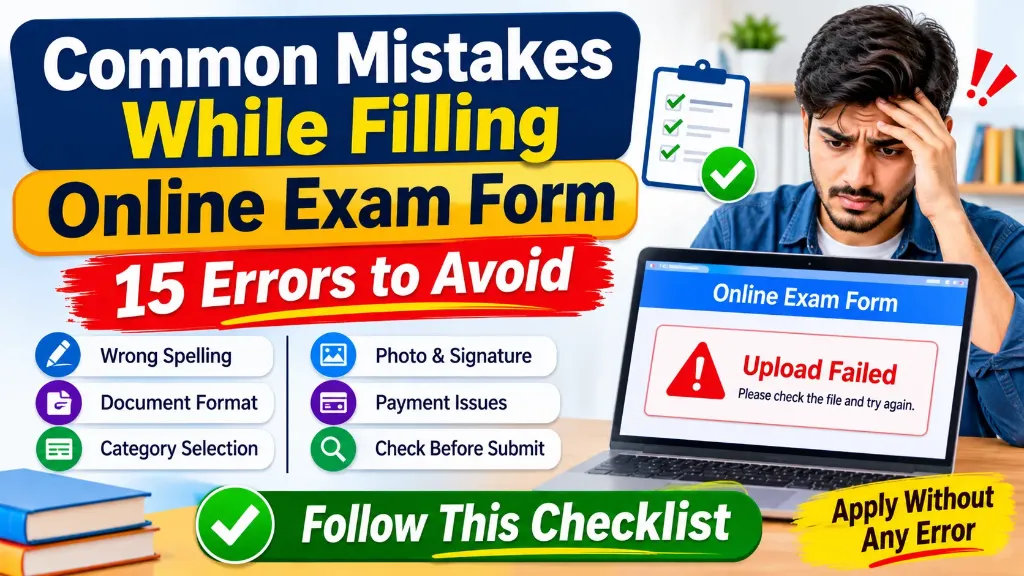
Filling out an online exam form may look like a simple task, but even a small mistake can create serious problems. An incorrect spelling, wrong category selection, unclear photograph, missing document or incomplete fee payment can delay your application or affect your eligibility.
Many candidates focus on completing the form quickly because they do not want to miss the application deadline. However, rushing through the process can lead to mistakes that may be difficult or impossible to correct later.
Whether you are applying for a government recruitment exam, entrance test or university admission, checking your details carefully is essential.
In this guide, we will discuss the common mistakes while filling online exam form, explain how to avoid them and provide a practical checklist you can follow before submitting your application.
1. Entering an Incorrect Name or Spelling
One of the most common mistakes is entering a name that does not exactly match the candidate’s official educational or identity records.
For example, your Class 10 certificate may show your name as Amit Kumar Singh, but you enter Amit K. Singh in the application form.
Even a small spelling difference can create difficulties during document verification.
How to avoid this mistake:
- Check your name against the certificate or document specified in the exam notification.
- Enter your father’s and mother’s names carefully.
- Avoid unnecessary initials or shortened names.
- Check the spelling of every name before proceeding.
- Follow the notification if it provides a specific naming instruction.
Do not assume that every examination follows the same naming rule. Some application portals use details from a previous registration profile, while others require candidates to enter their information manually.
2. Entering the Wrong Date of Birth
Your date of birth is an important detail because examination eligibility and age limits are often calculated using a specific cut-off date.
Entering the wrong day, month or year may affect your eligibility.
For example, selecting 12 March instead of 21 March can create a mismatch with your official records.
How to avoid this mistake:
- Check your date of birth on the required certificate.
- Pay attention to the date format used by the application portal.
- Verify the year carefully.
- Do not enter your current age instead of your date of birth.
- Check whether the exam uses a particular document as the reference for DOB.
Always read the age-limit section of the official notification before submitting your form.
3. Selecting the Wrong Category
Category selection is one of the most important parts of an online examination application.
Candidates may accidentally select General instead of OBC-NCL, SC instead of ST, or General instead of EWS.
Such errors can affect reservation benefits, fee concessions, eligibility conditions and document verification.
Before selecting a category, check whether you actually meet its requirements.
| Category | What to check before selecting |
|---|---|
| General | Select if no applicable reserved category is being claimed |
| OBC-NCL | Check the applicable list and Non-Creamy Layer requirements |
| SC | Confirm eligibility under the relevant notified list |
| ST | Confirm eligibility under the relevant notified list |
| EWS | Check the prescribed income and asset criteria |
| PwBD | Confirm that you meet the applicable disability requirements |
Important points:
- Do not select a category only to receive a fee discount.
- Check whether the examination uses a Central List or State List.
- Verify the certificate format and validity requirements.
- Make sure your certificate is available within the required timeline.
- Read the rules for claiming age relaxation and reservation benefits.
If you are unsure about your category, check the official notification or consult the competent certificate-issuing authority before submitting the form.
4. Uploading Documents in the Wrong Format
Another frequent problem occurs when candidates upload documents in an unsupported format.
For example, the application portal may require a JPG photograph, but the candidate uploads a PNG file. Similarly, a certificate may need to be uploaded as a PDF.
Uploading the correct document in the wrong format can cause the application portal to reject it.
How to avoid this mistake:
Before uploading any file, check the instructions for:
- Accepted file format
- Maximum and minimum file size
- Required image dimensions
- File clarity and readability
- Whether both sides of a document are required
- Whether the document needs to be uploaded in colour
Do not assume that all exams accept the same file formats. Requirements can differ between recruitment authorities and even between examination cycles.
Also, changing a file extension does not convert its actual format. For example, renaming photo.png to photo.jpg does not make it a genuine JPEG image.
Use an image editor or PDF tool to convert files properly.
5. Uploading an Incorrect Photograph or Signature
Your photograph and signature are important for candidate identification.
A poor-quality photograph, blurred signature or incorrectly cropped image may create problems during application scrutiny or examination verification.
Common mistakes include:
- Uploading an old photograph when a recent one is required.
- Using a photograph with an unsuitable background.
- Uploading a blurred or dark image.
- Cropping part of the signature.
- Uploading another person’s photograph or signature.
- Writing the signature in capital letters when running handwriting is required.
- Using the wrong file size or dimensions.
Best practice:
Prepare your photograph and signature according to the exact instructions in the examination notification. Open each saved image before uploading it and check whether the complete image is clearly visible.
6. Entering an Incorrect Email Address or Mobile Number
Candidates sometimes enter an incorrect email address or mobile number while registering.
This can become a serious problem because examination authorities may send important information through SMS or email.
You may miss:
- Registration confirmation
- Application-related notifications
- Payment updates
- Correction window announcements
- Admit card information
- Examination-related instructions
How to avoid this mistake:
Use your own active mobile number and email address. Check every character before submitting the registration details.
Make sure you can access both throughout the examination process. Also, avoid using an email address that you rarely check.
7. Choosing the Wrong Examination Centre
Many application forms allow candidates to select their preferred examination cities.
Selecting the wrong city by mistake can create travel problems later.
Before choosing an examination centre, consider:
- Distance from your home
- Availability of transport
- Travel time
- Your preferred city order
- Whether the selected city is available for your examination
Review your choices carefully before final submission.
Keep in mind that a preferred examination city is not always guaranteed. The authority may allot a centre according to availability and examination rules.
8. Providing Incorrect Educational Qualification Details
Educational qualification details should be entered carefully because they are often checked during document verification.
Common mistakes include:
- Selecting the wrong qualification.
- Entering an incorrect passing year.
- Providing an incorrect roll number.
- Entering the wrong marks or percentage.
- Selecting the wrong university or board.
- Claiming a qualification that has not been completed.
How to avoid this mistake:
Keep your marksheets and certificates nearby while filling out the form.
Check the eligibility criteria to understand whether the examination accepts completed qualifications, appearing candidates or specific equivalent qualifications.
Do not calculate or round off marks randomly. Follow the instructions provided in the application form.
9. Not Checking the Eligibility Criteria
Some candidates start filling out an application form without checking whether they are eligible for the examination.
This can lead to an application that is rejected during scrutiny.
Before applying, confirm the following:
- Required educational qualification
- Minimum and maximum age
- Age relaxation rules
- Nationality requirements
- Category-specific conditions
- Work experience, if required
- Any additional examination-specific conditions
Remember that submitting an application does not automatically mean you are eligible.
Read the official notification before paying the application fee.
10. Ignoring the Application Preview
The preview page is one of the most important steps in the entire application process.
Many candidates fill in all the details and immediately click the final submit button without checking the preview.
This is where they may miss an incorrect spelling, wrong category, missing document or unsuitable photograph.
Before final submission, review the following:
| Details | What to verify |
|---|---|
| Personal information | Name, date of birth and gender |
| Contact information | Mobile number and email address |
| Category | General, OBC-NCL, SC, ST or EWS |
| Qualification | Board, university, passing year and marks |
| Photograph | Correct and clearly visible |
| Signature | Complete and readable |
| Exam preferences | Correct paper, subject and exam city |
| Documents | All required files uploaded |
| Declaration | Read and accepted where applicable |
Treat the preview page as a final inspection, not just another screen in the application process.
11. Making a Payment Without Checking the Amount
An incorrect or incomplete fee payment can prevent the successful submission of your application.
Candidates sometimes select the wrong payment option, pay an incorrect amount or close the payment window before the transaction is completed.
Before making payment, verify:
- Applicable examination fee
- Category-based fee exemption, if available
- Additional payment gateway charges
- Payment deadline
- Available payment methods
- Transaction status
Do not assume that your application is submitted simply because money has been deducted from your bank account.
12. Not Checking the Payment Status
Sometimes a payment is deducted, but the examination portal continues to show Pending or Unpaid.
This can happen because of a delay in communication between the bank, payment gateway and application portal.
What should you do?
- Check your bank or payment application for the transaction status.
- Return to the examination portal and check the payment status.
- Wait for the portal to update if the transaction is still processing.
- Save the transaction reference or payment receipt.
- Contact the official helpdesk if the status remains unresolved.
Avoid making repeated payments without checking the first transaction. Follow the instructions in the examination notification for failed or pending transactions.
13. Forgetting to Download the Confirmation Page
After completing the application, some candidates close the website without downloading the confirmation page.
This is a mistake because the confirmation page is useful proof of the submitted application.
It may contain:
- Application or registration number
- Candidate information
- Selected examination details
- Uploaded document information
- Payment status
- Submission details
After successful submission, download and save the confirmation page as a PDF. Keep a copy of the payment receipt as well.
It is also useful to maintain a separate folder for examination-related documents.
14. Waiting Until the Last Date to Apply
Waiting until the final hours is another common mistake.
On the last day, a large number of candidates may try to access the same application portal. This can result in slow loading, payment delays or difficulty uploading documents.
An unstable internet connection can make the situation even worse.
A better approach:
- Start the application several days before the deadline.
- Keep all required documents ready.
- Complete the registration and payment early.
- Avoid making last-minute changes.
- Keep enough time to resolve technical issues.
Applying early gives you more time to correct genuine problems through the permitted process.
15. Assuming Every Mistake Can Be Corrected Later
Some candidates submit incorrect information because they believe they can change everything later.
However, correction facilities differ between examination authorities.
Some exams allow changes in selected fields during a correction window. Others restrict corrections or do not permit changes to certain details after final submission.
Never depend on a correction window unless the official notification confirms it.
Always check which fields can be edited, the correction dates and whether an additional fee is required.
Final Checklist Before Submitting Any Online Exam Form
Use this checklist before clicking the final submit button.
- I have read the official examination notification.
- I meet the eligibility requirements.
- My name matches the required official records.
- My date of birth is correct.
- I have selected the correct category.
- My educational details are accurate.
- My mobile number and email address are active.
- My photograph and signature follow the upload instructions.
- All documents are in the required format and size.
- My examination and city preferences are correct.
- I have reviewed the complete application preview.
- I have checked the applicable fee.
- My payment status is successful, if a fee is required.
- I have downloaded the confirmation page.
- I have saved the payment receipt and application number.
If all the applicable points are checked, you can proceed with greater confidence.