When applying for the SSC Selection Post examination, candidates must pay attention to the signature image requirements. Even a small mistake while preparing the signature file can create problems during the online application process.
Many candidates are confused about the accepted signature format, file size in KB, image dimensions and the correct way to upload a scanned signature.
The Staff Selection Commission provides specific instructions for signature uploads in its examination notifications. Candidates should follow these instructions carefully instead of relying on random image-size recommendations available on the internet.
In this article, you will learn the SSC Selection Post signature image format, required file size, dimensions, preparation process and common mistakes to avoid while uploading your signature.
SSC Selection Post Signature Image Format: Quick Details
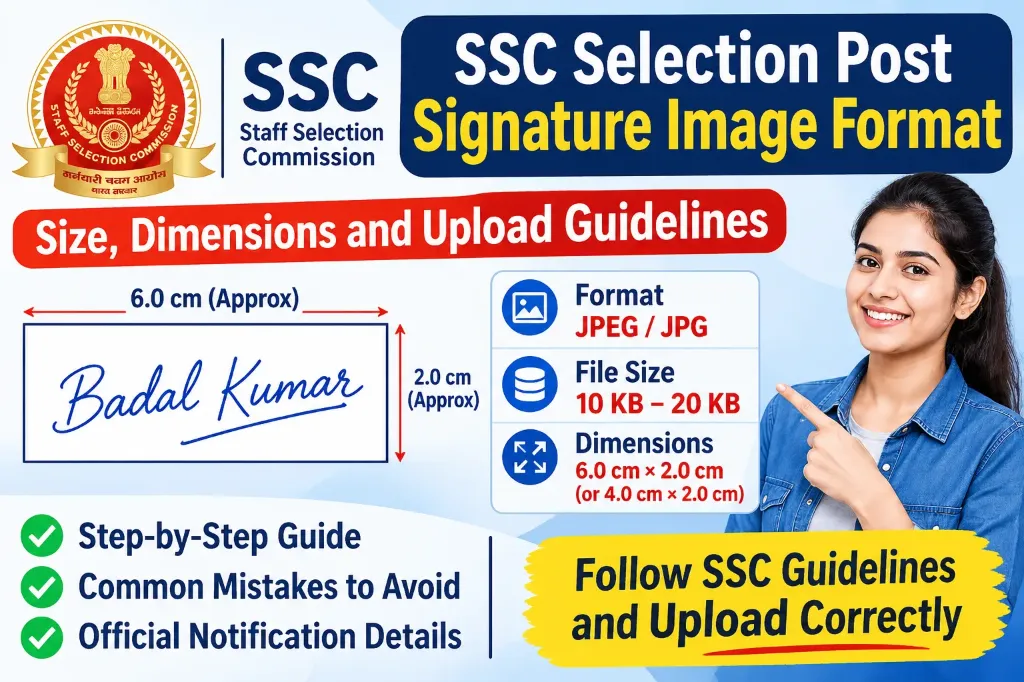
For Selection Post Phase XIV/2026, the SSC notification specifies the following signature requirements:
| Requirement | Official specification |
|---|---|
| Image format | JPEG / JPG |
| File size | 10 KB to 20 KB |
| Width | About 6.0 cm in the main instructions |
| Height | About 2.0 cm |
| Image quality | Clear and readable |
| Signature type | Scanned handwritten signature |
| Blurred signature | Not accepted |
| Special provision | Thumb impression allowed for PwD VH candidates |
Important: There is a difference between the dimensions mentioned in the main notification and Annexure V. The main instructions mention approximately 6.0 cm × 2.0 cm, while Annexure V mentions approximately 4.0 cm × 2.0 cm.
Therefore, always check the instructions for your particular examination phase and follow the specifications displayed on the official application portal.
1. What Is the Accepted Signature Image Format for SSC Selection Post?
The SSC Selection Post application requires candidates to upload their scanned signature in JPEG or JPG format.
These are commonly used image formats that allow the application system to process scanned images.
Before uploading your signature, make sure that:
- Your signature is saved in JPG or JPEG format.
- The file size is between 10 KB and 20 KB.
- The signature is clearly visible.
- The complete signature is inside the image.
- The image is not blurred or too small.
For example, a file named signature.jpg can be uploaded if it meets the required specifications.
You should not directly upload a PNG, PDF, WebP or other unsupported file unless the relevant notification or application portal specifically allows it.
Simply changing a file extension from PNG to JPG does not convert the actual image format. Use an image editor or proper image conversion tool.
2. What Is the SSC Selection Post Signature Image Size in KB?
The required signature image file size for SSC Selection Post Phase XIV/2026 is 10 KB to 20 KB.
This means:
- Minimum file size: 10 KB
- Maximum file size: 20 KB
Your signature file must remain within this range.
For example:
| Signature file size | Status |
|---|---|
| 5 KB | Below the required limit |
| 9 KB | Below the required limit |
| 12 KB | Within the required range |
| 15 KB | Within the required range |
| 19 KB | Within the required range |
| 22 KB | Above the required limit |
Try to keep your image around 15 KB when possible. This gives you some room within the permitted file-size range.
However, reducing the file size should never make your signature unclear. A readable signature is more important than achieving an exact target such as 15 KB.
3. What Are the SSC Selection Post Signature Image Dimensions?
Image dimensions are another important part of the application process.
The official Phase XIV/2026 notification contains two different dimension references:
- Main notification, paragraph 11.10: About 6.0 cm wide and 2.0 cm high.
- Annexure V, Part B: About 4.0 cm wide and 2.0 cm high.
Both instructions specify a height of approximately 2.0 cm, but the width is different.
Candidates should not assume that every SSC recruitment examination uses identical dimensions.
The notification also does not provide a fixed pixel measurement in these signature instructions. Therefore, avoid following online recommendations that claim a particular pixel size is compulsory unless that requirement is actually mentioned in your examination instructions.
My recommendation: Check the signature upload instructions in your current application form. When the notification and its annexure contain different measurements, do not treat an unofficial website’s suggested dimensions as a replacement for SSC instructions. Seek clarification through the official SSC helpdesk when necessary.
4. How to Prepare Your Signature Image for SSC Selection Post
Preparing a proper signature image is not difficult. You can create one using a smartphone, scanner or computer.
Follow these steps:
Step 1: Take a clean white sheet of paper
Take a plain white sheet of paper and make sure it is clean.
Avoid paper that has lines, coloured backgrounds, printed text or unnecessary marks.
A white background makes your handwritten signature easier to identify.
Step 2: Write your signature clearly
Use a pen and write your normal signature on the paper.
Remember these points:
- Write your signature naturally.
- Do not make it extremely large or extremely small.
- Avoid overwriting or unnecessary strokes.
- Do not write any additional information around the signature.
- Keep your signature similar to the one you normally use.
Your signature should be readable and consistent with the signature you use on important documents.
Step 3: Scan or photograph your signature
You can use a scanner or smartphone camera to capture your signature.
While taking the photograph:
- Keep the camera directly above the paper.
- Make sure there is sufficient lighting.
- Avoid shadows falling over the signature.
- Keep the paper flat.
- Make sure the entire signature is visible.
A scanner generally gives better results because it can capture the signature without perspective distortion.
Step 4: Crop the signature image
After scanning, open the image in an image editor.
Crop the extra white space around your signature while keeping the complete handwritten signature visible.
Do not crop so tightly that any part of your signature gets removed.
Make sure the image is horizontal and properly aligned.
Step 5: Convert the image into JPG format
Save or export your scanned signature as a JPG or JPEG image.
You can use an image editor or an image conversion tool for this purpose.
Check the saved file before moving to the next step.
Step 6: Resize the image and adjust its file size
Now check the image dimensions and file size.
For Phase XIV/2026, the file size should be between 10 KB and 20 KB.
Pay attention to the dimension difference between the main notification and Annexure V, as explained earlier.
After resizing and compressing the image, open it once again to make sure the signature is still clear.
Step 7: Check the final image
Before uploading, confirm the following:
- The file is in JPG or JPEG format.
- The file size is within 10 KB to 20 KB.
- The signature is clearly visible.
- No part of the signature is missing.
- The image is not blurred or distorted.
Once everything is correct, your signature image is ready for uploading.
5. Common Mistakes to Avoid While Uploading Your SSC Signature
Many candidates face problems because they do not check their signature image before submitting the application.
Here are some mistakes you should avoid:
Uploading a blurred signature
A blurred signature can create problems during application scrutiny.
Always check the image at normal viewing size before uploading it.
Uploading an extremely small signature
If the signature occupies only a tiny part of the image, it may become difficult to identify.
Crop the unnecessary space and maintain a proper image size.
Uploading an image outside the permitted file-size range
A signature smaller than 10 KB or larger than 20 KB does not meet the Phase XIV/2026 file-size requirement.
Check the actual file size after saving the image.
Using the wrong image format
Some candidates scan their signatures and save them as PNG or PDF.
The Phase XIV/2026 instructions specify JPEG/JPG. Convert the file into the required format before uploading.
Cropping part of the signature
Never remove any portion of your handwritten signature while cropping the image.
The entire signature should remain visible.
Uploading without checking the preview
Candidates sometimes upload the correct file but fail to check how it appears in the application form.
Always use the Preview option before submitting your application.
6. How to Upload Your Signature in the SSC Selection Post Application Form
Once your signature image is ready, follow the application process:
- Visit the official Staff Selection Commission website at https://ssc.gov.in/.
- Log in using your registration number and password.
- Open the relevant Selection Posts Examination application.
- Complete the required application details.
- Go to the upload documents section.
- Select your prepared JPG or JPEG signature image.
- Upload the file and check whether it appears correctly.
- Review the image and all other application details in the Preview section.
- Submit your application after checking everything carefully.
Keep a copy of your submitted application for future reference.
Remember that SSC may conduct further scrutiny of application details and documents. Therefore, entering correct information and uploading a proper signature are both important.
7. Important Instructions from the Official SSC Notification
Candidates should read the official examination notification before submitting their applications.
For Phase XIV/2026, the SSC notification states that scanned signatures must be uploaded in JPEG/JPG format with a file size of 10 KB to 20 KB.
It also warns that blurred or miniature signatures can result in rejection.
The notification includes a provision for Aadhaar Based Authentication candidates regarding rejection on the specified photograph and signature grounds. However, candidates should still provide a clear signature and follow the application instructions.
For candidates with visual disabilities, the notification also mentions that a thumb impression is allowed for PwD VH candidates.
You can read the complete instructions directly from the official source:
Official SSC Selection Post Phase XIV/2026 Notification:
Download Official SSC Phase XIV Notification PDF
For a different examination phase, download its corresponding notification from the official SSC website rather than assuming that the previous phase’s requirements are still applicable.