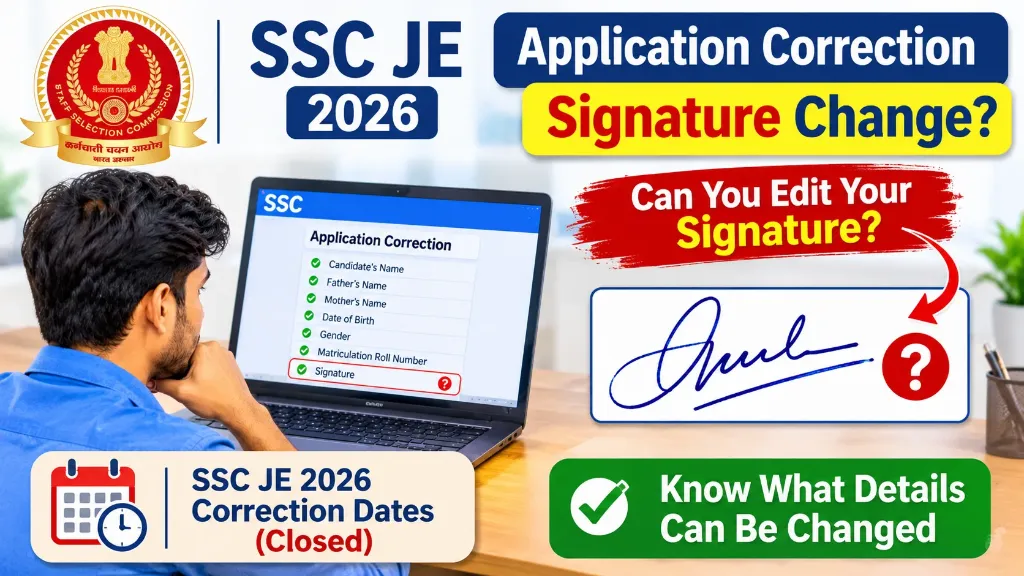
If you have submitted the SSC Junior Engineer application form with an incorrect, unclear, or different signature, you may be wondering whether you can change it during the application correction window.
The Staff Selection Commission provides a correction facility to help candidates correct certain details in their submitted application forms. However, this does not mean that every field, including the uploaded signature, can be changed.
In this article, we will explain whether you can change your signature in the SSC JE application form, which details are allowed for correction, how to use the correction facility, and what to do if your signature is incorrect.
We will also discuss the SSC JE 2026 correction schedule so that candidates can understand the latest available information.
Can You Change Your Signature During SSC JE Application Correction?
Changing your signature during SSC JE application correction is not confirmed as an allowed option under the published list of editable fields for SSC JE 2026.
According to the available SSC JE 2026 application correction information, candidates can edit certain personal details, including:
- Candidate’s name
- Father’s name
- Mother’s name
- Date of birth
- Gender
- Matriculation roll number
The signature is not included in this list.
Therefore, candidates should not assume that they can upload a new signature during the correction window.
If your signature is incorrect, blurred, or uploaded in the wrong format, check the official correction notice and the fields available in your SSC login before making any changes.
Important: The correction facility depends on the specific examination notification. Rules for another SSC examination may be different from SSC JE rules.
SSC JE 2026 Application Correction Dates
For the 2026 examination, SSC provided a limited period for correcting submitted application forms.
| Event | Date |
|---|---|
| Application start date | 2 September 2026 |
| Last date to apply | 22 September 2026 |
| Last date for fee payment | 23 September 2026 |
| Correction window opening | 28 September 2026 |
| Correction window closing | 30 September 2026 |
Correction window closed
As of 8 November 2026, the SSC JE 2026 correction window has already closed. Candidates cannot use the normal correction facility to change their submitted application now.
The above dates are based on the 2026 recruitment information. You should always check the latest updates on the official SSC website.
Which Details Can Be Changed in SSC JE Application Correction?
The correction facility is provided for making changes to an already submitted application. However, candidates should understand that the list of editable fields must be checked against the examination notice.
For SSC JE 2026, published information about editable personal details includes the following:
| Application detail | Correction information |
|---|---|
| Candidate’s name | Listed as editable |
| Father’s name | Listed as editable |
| Mother’s name | Listed as editable |
| Date of birth | Listed as editable |
| Gender | Listed as editable |
| Matriculation roll number | Listed as editable |
| Signature | Not confirmed in the published personal-details list |
| Photograph | Check the correction portal and official notice |
There is an important distinction here. Some third-party exam information pages report that photograph and signature uploads could also be changed during the SSC JE 2026 correction window. Other published information lists only specific personal details.
Because these reports do not agree, it would be misleading to guarantee that every candidate could change their signature.
The safest approach is to check the actual editable fields displayed in your SSC account and follow the official examination notice.
How to Check Whether Signature Change Is Available in Your SSC Login
If the SSC correction facility is open for your examination, follow these steps to check whether the signature can be changed.
- Visit the official SSC website at ssc.gov.in.
- Click on the Login or Register option.
- Enter your SSC registration details and password.
- Open the SSC JE examination application.
- Look for the Application Correction or Modify Application option.
- Check the available correction fields.
- Look for the photograph and signature upload sections.
- If the signature upload option is available, read the instructions before uploading a replacement image.
- Preview the corrected application carefully.
- Pay the applicable correction fee and submit the form if required.
Remember: Simply opening the correction page does not mean that every field is editable. The options shown in your account determine which corrections you can make.
Since the SSC JE 2026 correction period ended on 30 September, these instructions are relevant to a future correction window or another examination cycle.
What Should You Do If Your SSC JE Signature Is Incorrect?
If you have uploaded the wrong signature, do not panic. First, understand the type of mistake.
Your next step depends on whether the correction facility is active and whether SSC allows signature replacement for that examination.
1. If You Uploaded the Wrong Signature
If the uploaded signature belongs to another person or does not match your own handwriting, it is a serious mistake.
If the correction facility is available and the signature upload option is enabled, upload a correct signature that belongs to you.
Do not use another person’s signature or copy a signature from an unrelated document.
2. If Your Signature Is Blurred
A blurred signature may create problems during application scrutiny or verification.
If replacement is permitted, prepare a fresh, clear signature and upload it according to the prescribed specifications.
Avoid stretching, shrinking excessively, or editing the signature in a way that makes it difficult to recognise.
3. If You Uploaded the Wrong Signature Format
SSC notices prescribe technical requirements for signature images. Candidates should check the applicable notification for file format, file size and dimensions.
Do not assume that the requirements of an older SSC examination will automatically apply to the current JE examination.
4. If the Correction Window Has Closed
If the correction window has expired, you generally cannot change the submitted application through the normal correction facility.
In this situation:
- Do not create another application using a different registration number.
- Do not pay an unofficial agent who promises to change your signature.
- Check the latest SSC notices for any special instructions.
- Contact the SSC helpdesk if you need clarification about a genuine error.
SSC states in its examination notices that correction requests after the prescribed correction period are not ordinarily accepted.
SSC JE Signature Upload Requirements
Before uploading a signature in an SSC JE application, candidates should carefully read the image instructions in the current notification.
The SSC JE 2025 official notification specified the following signature requirements:
| Particular | Requirement in 2025 notice |
|---|---|
| File format | JPEG |
| File size | 10 KB to 20 KB |
| Approximate dimensions | 6 cm × 2 cm |
| Signature quality | Clear and readable |
The notification also warned that applications containing blurred signatures could be rejected. An exception was mentioned for candidates who had opted for Aadhaar-based authentication.
These are the requirements stated in the 2025 notice. Candidates applying for SSC JE 2026 or a future cycle should verify the specifications in their own notification rather than blindly following older instructions.
Tips for Preparing a Correct Signature
Follow these simple tips before uploading your signature:
- Use a clean white sheet of paper.
- Sign using a dark blue or black pen.
- Keep your signature within the required area.
- Make sure the complete signature is visible.
- Avoid unnecessary marks, shadows and background objects.
- Scan the signature clearly.
- Resize and compress the image only as required.
- Open the final image before uploading it to check its quality.
Note: Follow the exact ink colour and other instructions given in the applicable SSC notification.
SSC JE Application Correction Fee
SSC charges a correction fee when candidates submit a modified application during the correction window.
For SSC JE 2026, the reported correction charges were:
| Correction attempt | Fee |
|---|---|
| First corrected submission | ₹200 |
| Second corrected submission | ₹500 |
Candidates could correct and resubmit their application up to two times during the correction period. The correction charges applied irrespective of category or gender.
Keep these points in mind:
- Correction charges are separate from the original application fee.
- A correction facility does not guarantee that every field can be changed.
- Always check the updated application before final submission.
- Keep a copy of the corrected application and payment confirmation.
Can You Contact SSC to Change Your Signature After the Correction Date?
You can contact SSC for clarification about an application-related problem, but contacting the Commission does not guarantee that your signature will be changed.
The Commission generally does not accept ordinary correction requests after the prescribed correction window has expired.
For official assistance, use the contact information published on the SSC website.
SSC official contact details:
- Official website: https://ssc.gov.in/
- Email: [email protected]
- Toll-free helpline: 1800-309-3063
When contacting SSC, provide your examination name, registration details and a clear explanation of the problem. Never share your password or OTP with anyone.
Important Advice for Future SSC JE Applicants
The best way to avoid signature-related problems is to check your application before submitting it.
Here is a quick checklist you can follow:
- Check that the uploaded signature belongs to you.
- Make sure the signature is clear and readable.
- Verify the prescribed file format.
- Check the required image size and dimensions.
- Confirm that the photograph and signature meet the notification requirements.
- Preview the complete application form.
- Download and save the submitted application.
- Keep the application and payment receipt for future reference.
A few minutes of checking can help you avoid unnecessary application-related problems later.